

Google BigQuery Transformation
BigQuery offers a range of features:
- Fully managed, serverless data warehouse
- Automatic scaling of compute resources
- Storage and analysis of multi-terabyte datasets
- High-speed streaming insertion of data
- Integrates with Google’s data analytics ecosystem
Limits
Section titled “Limits”- By default, individual queries have a maximum run time of 2 hours, but you can adjust this using the Query timeout parameter.
- There is a limit on the number of tables referenced by a single query.
- While table updates are possible, BigQuery favors an append-only model where mutations are generally discouraged.
BigQuery is designed for flexibility and ease of use. Its integration with other Google Cloud services provides a robust platform for analytics at scale. To keep up with the latest improvements and updates, it’s a good idea to monitor the BigQuery release notes.
For information on BigQuery limitations within Keboola, refer to the BigQuery Limitations section.
Aborting Transformation Execution
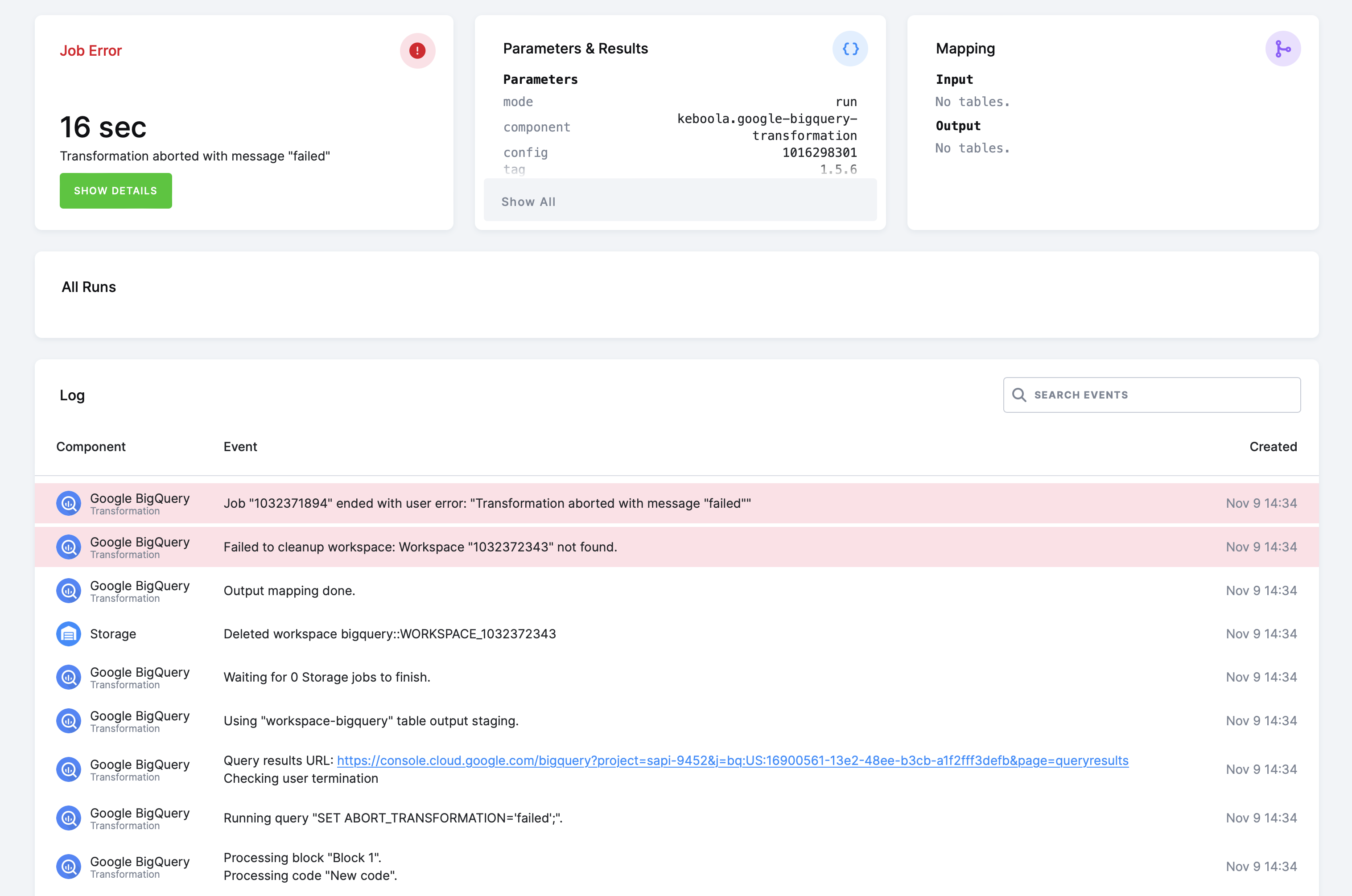
Section titled “Aborting Transformation Execution”In some cases, you may need to abort the transformation execution and exit with an error message.
To abort the execution, set the ABORT_TRANSFORMATION variable to any nonempty string value. The variable is already declared internally, so you only need to set its value.
SET ABORT_TRANSFORMATION = ( SELECT IF(COUNT(*) = 0, '', 'Integrity check failed') FROM INTEGRITY_CHECK WHERE RESULT = 'failed');This example will set the ABORT_TRANSFORMATION variable value to 'Integrity check failed' if the INTEGRITY_CHECK table
contains one or more records with the RESULT column equal to the value 'failed'.
The transformation engine checks ABORT_TRANSFORMATION after each successfully executed query and returns the variable’s value
as a user error, Transformation aborted: Integrity check failed. in this case.
Example
Section titled “Example”To create a simple BigQuery transformation, follow these steps:
- Create a table in Storage by uploading the sample CSV file.
- Create an input mapping from that table, setting its destination to
source(as expected by the BigQuery script). - Create an output mapping, setting its destination to a new table in your Storage.
- Copy & paste the below script into the transformation code
- Save and run the transformation
CREATE OR REPLACE TABLE `result` ASSELECT `first`, CAST(`second` AS INT64) * 42 AS `larger_second`FROM `source`;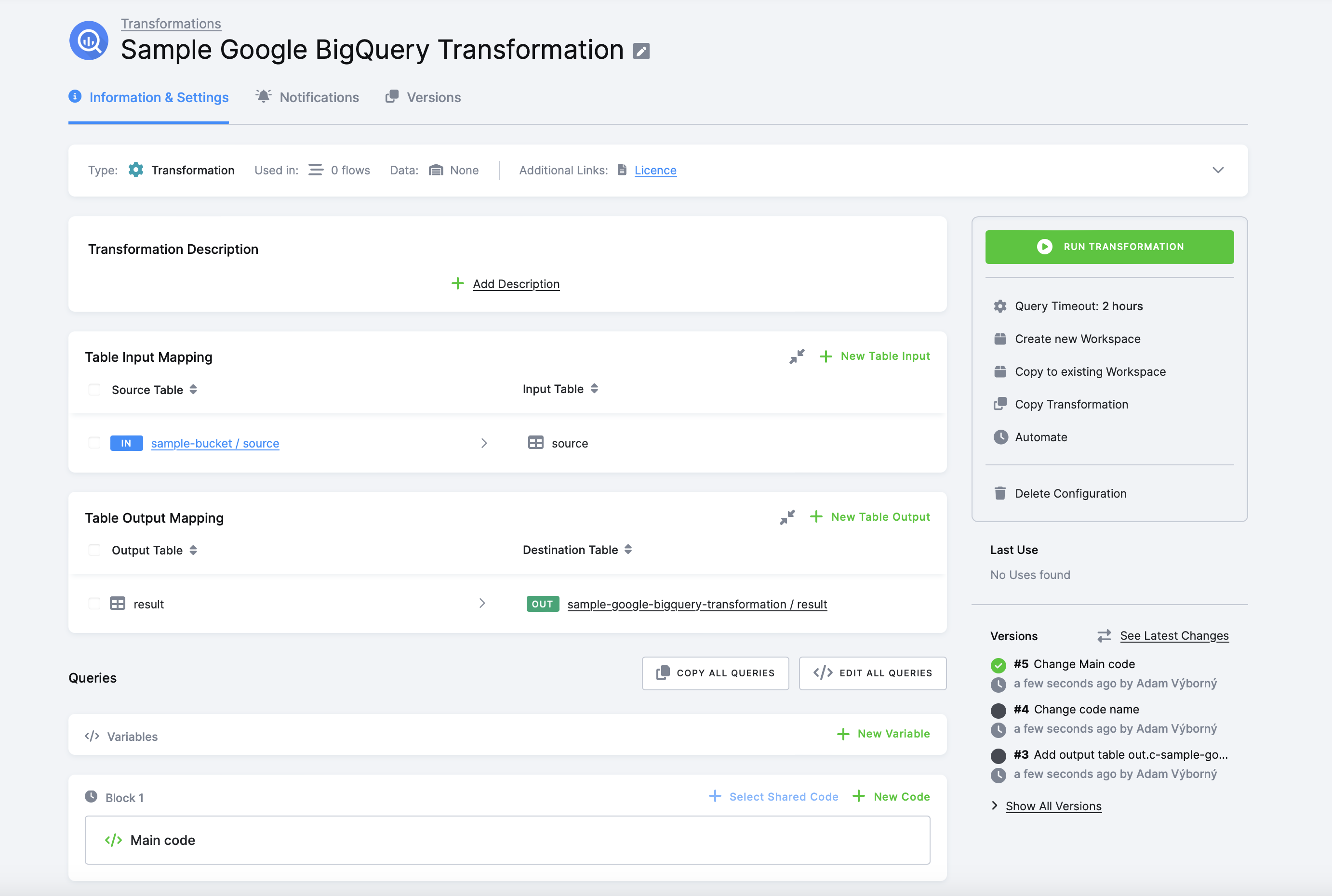
You can organize the script into blocks.
Best Practices
Section titled “Best Practices”Working With Data Types
Section titled “Working With Data Types”Keboola Storage tables store data in character types. When creating a table for output mapping in BigQuery, you can rely on implicit casting to STRING:
CREATE OR REPLACE TABLE test (ID STRING, TM TIMESTAMP, NUM FLOAT64);
INSERT INTO test (ID, TM, NUM)SELECT 'first', CURRENT_TIMESTAMP(), 12.5;
Alternatively, you can create the table with all columns as STRING and rely on implicit casting:
CREATE OR REPLACE TABLE test (ID STRING, TM STRING, NUM STRING);
INSERT INTO test (ID, TM, NUM)SELECT 'first', FORMAT_TIMESTAMP('%F %T', CURRENT_TIMESTAMP()), CAST(12.5 AS STRING);
Explicit casting of columns to STRING is also an option:
CREATE OR REPLACE TABLE test (ID STRING, TM STRING, NUM STRING);
INSERT INTO test (ID, TM, NUM)SELECT    CAST('first' AS STRING),    CAST(FORMAT_TIMESTAMP('%F %T', CURRENT_TIMESTAMP()) AS STRING),    CAST(12.5 AS STRING);
For unstructured data types in BigQuery, explicit casting is often necessary:
CREATE OR REPLACE TABLE test (ID STRING, TM STRING, NUM STRING, OBJ STRING);
INSERT INTO test (ID, TM, NUM, OBJ)SELECT 'first', FORMAT_TIMESTAMP('%F %T', CURRENT_TIMESTAMP()), CAST(12.5 AS STRING), TO_JSON_STRING(STRUCT('name' AS NAME, '123' AS CIN));There are two types of user-defined functions in BigQuery: persistent and temporary. Persistent UDFs are stored in a dataset and can be used by any user with access to the dataset. Temporary UDFs are only available during the session in which they are created.
Because BQ transformations always run in a new session (and new dataset), you can only use temporary UDFs. To create a temporary UDF, use the CREATE TEMP FUNCTION statement. You can find more information about UDFs in the BigQuery documentation.
Bucket Objects for Read-Only Input Mapping
Section titled “Bucket Objects for Read-Only Input Mapping”For more information on how a read-only input mapping works, visit the link.
Buckets in BigQuery are represented by datasets. A bucket’s dataset name is derived from its ID by replacing the dots and dashes with underscores; for example, the bucket in.c-main is the dataset in_c_main. You can list all available datasets by querying INFORMATION_SCHEMA.SCHEMATA or by browsing them in the BigQuery console.
Reference a table using its fully qualified name in backticks, for example `in_c_main`.`users`.
Alias tables are materialized as database VIEWs and are accessible via read-only input mappings — including filtered aliases and aliases from linked buckets.
For a linked bucket, the dataset lives in another project. To access it, qualify the table with the source project’s ID. For example, say your bucket in.c-customers is linked from bucket in.c-crm-extractor in project 123. You then need to reference the table like this: `<project-123-id>`.`in_c_crm_extractor`.`my-table`.
When developing the transformation code, it’s easiest to create a workspace with read-only input mappings enabled and look directly in the workspace to find the correct project and dataset names.
Read-Only Input Mapping in Development Branches
Section titled “Read-Only Input Mapping in Development Branches”When you work in a development branch, each branch keeps its own copy of a bucket in a separate dataset. The branch dataset name is the default (production) dataset name prefixed with the branch ID. For example, in branch 1234 the bucket in.c-main:
- is the dataset
in_c_mainin production (the default branch), and - is the dataset
1234_in_c_mainin branch1234.
Reference a branch table by its prefixed dataset name, for example `1234_in_c_main`.`users`. Production data stays in the un-prefixed in_c_* datasets and remains readable from the branch.
Read access is scoped per branch:
- A dev-branch transformation reads its own branch datasets and the default (production) datasets. Datasets belonging to other branches are not accessible.
- A default-branch transformation reads only the default datasets and cannot read any branch datasets.